
Feed
Every market story as it comes out, scored and explained.
The page
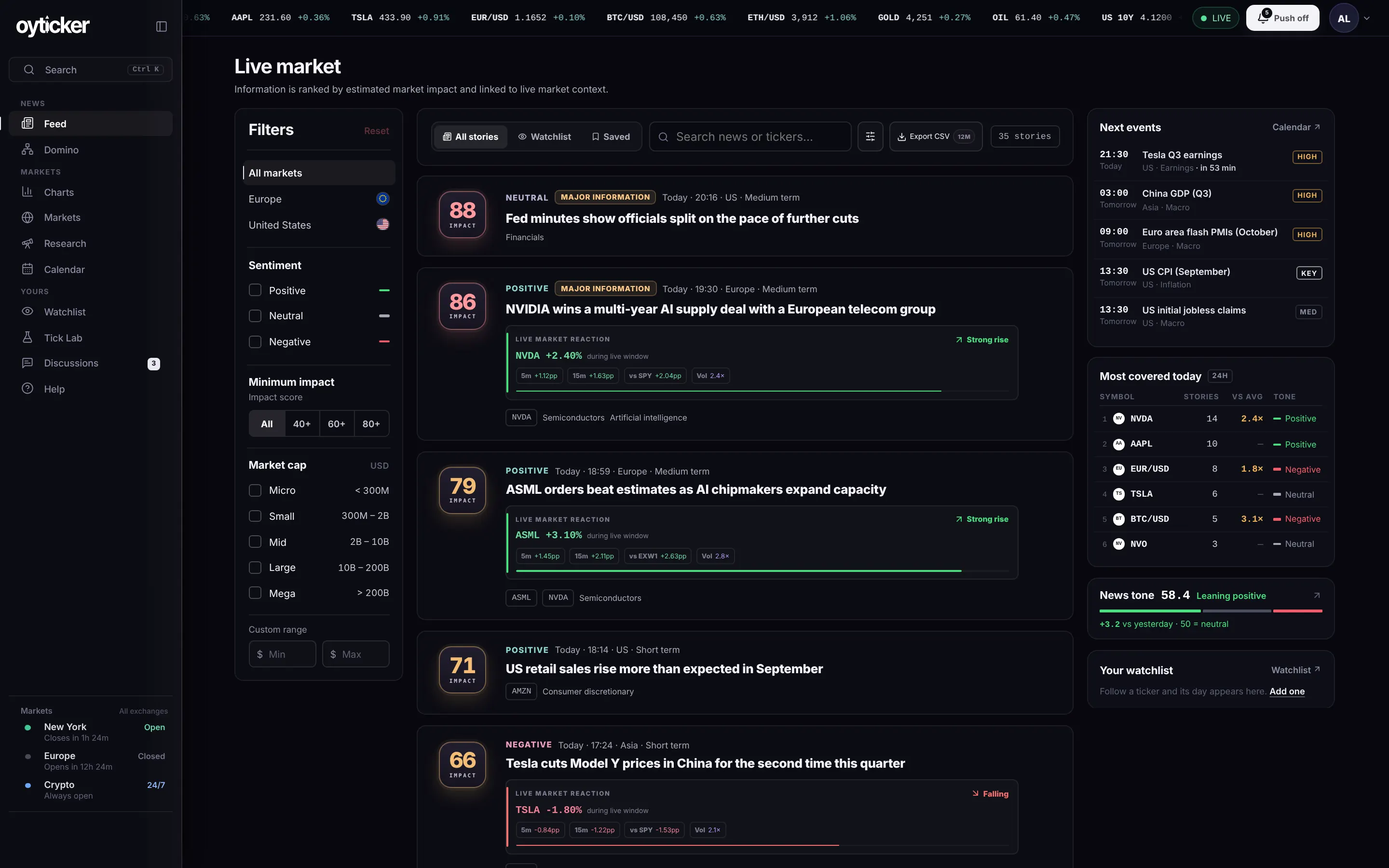
Each one is scored as it comes out. New ones arrive at the top without a reload.
Every story, the stories about your watchlist, and the ones you saved.
A company, a ticker, a sector or a theme.
Market, sentiment, minimum impact and company size.
The next releases of the Calendar, with their importance.
The markets with the most stories in 24 hours, and how unusual that count is for them.
The tone of the day's stories, from 0 to 100. It opens Research.
A story card
From 0 to 100: how much the story matters to the markets it names. It says how important, never which way.
Positive, neutral or negative for the markets named; then the time, the region and the horizon.
How the story's main market has moved since it came out, against its benchmark, with the volume.
What the story concerns.
- 80 – 100
- Major
- 60 – 79
- High
- 40 – 59
- Medium
- 0 – 39
- Low
A reaction is a timing, not a proof: other news can move the same market at the same moment. How stories are scored.
Filters and search
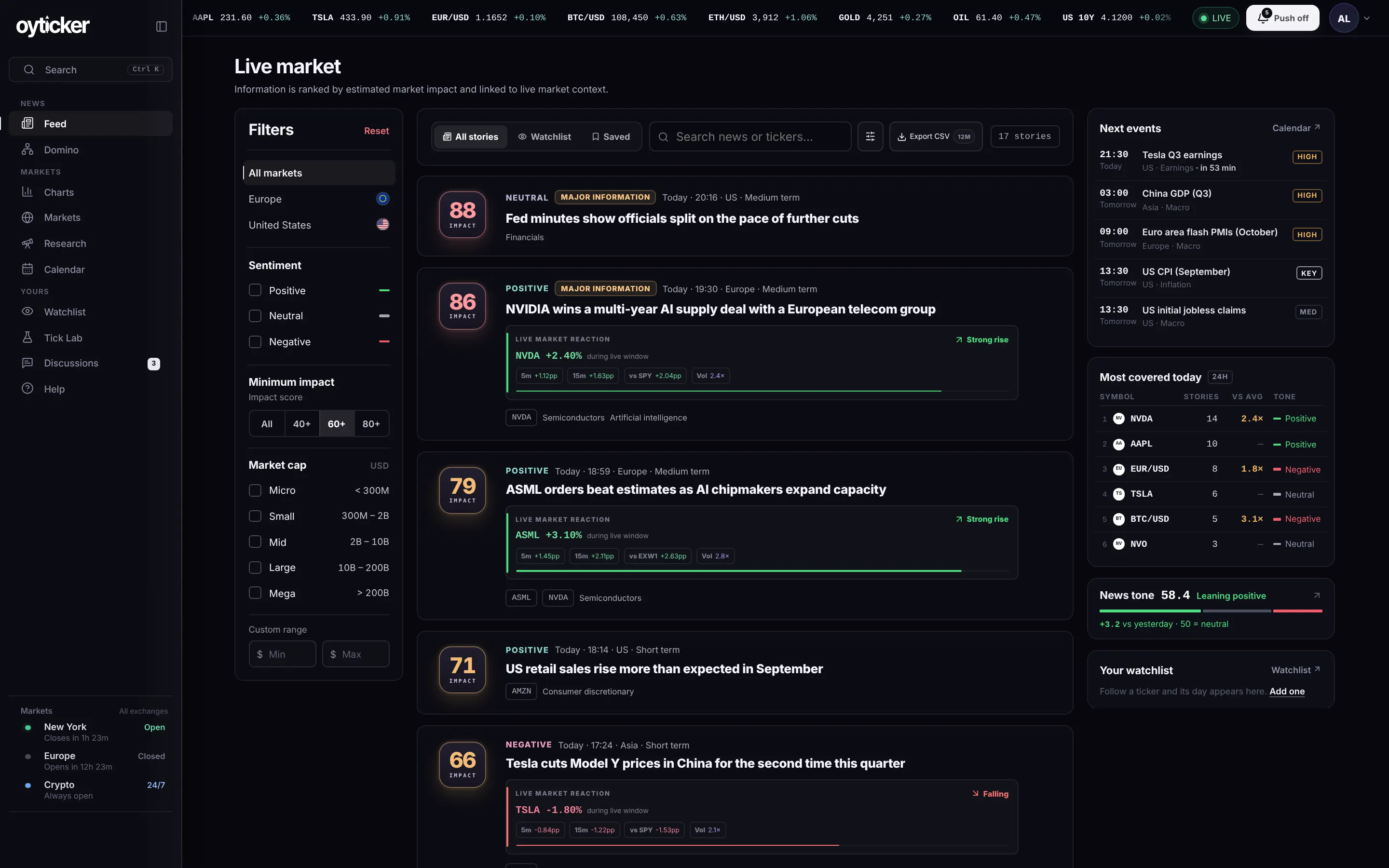
All markets, Europe or the United States.
One tone or several.
40, 60 or 80 and more: the higher, the fewer the stories.
Only the stories of 60 and more remain. Filters also apply to Watchlist and Saved.
Companies of a given size, from micro to mega, or your own range. Macro, currency and crypto stories have no company and are left out.
Clears every filter and the search.
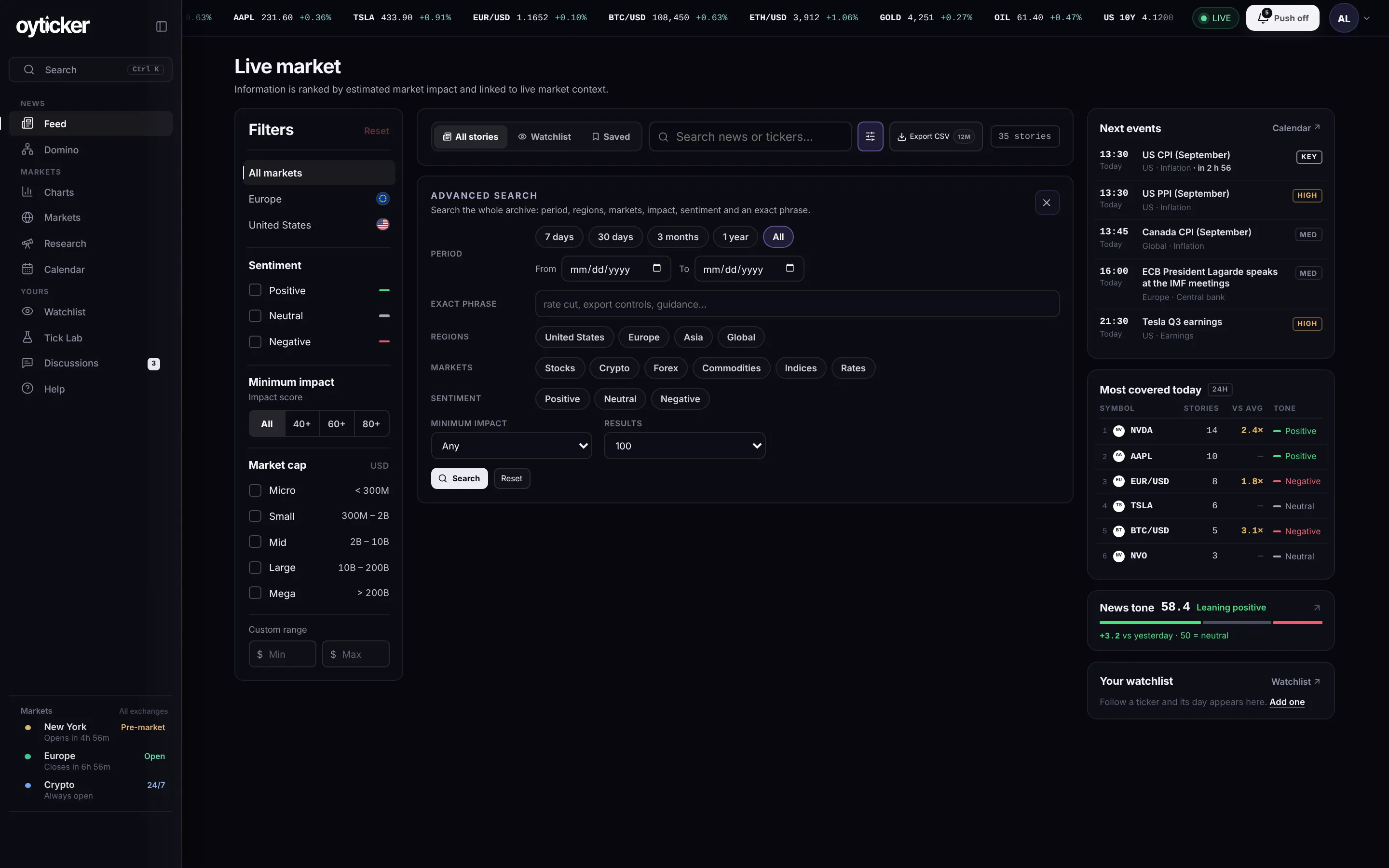
The sliders beside the search field.
A preset, or two dates.
The words as written, in that order.
Stocks, crypto, forex, commodities, indices or rates, in one region or several.
The region and the minimum impact the Feed opens with are yours to set in Settings.
Reading a story

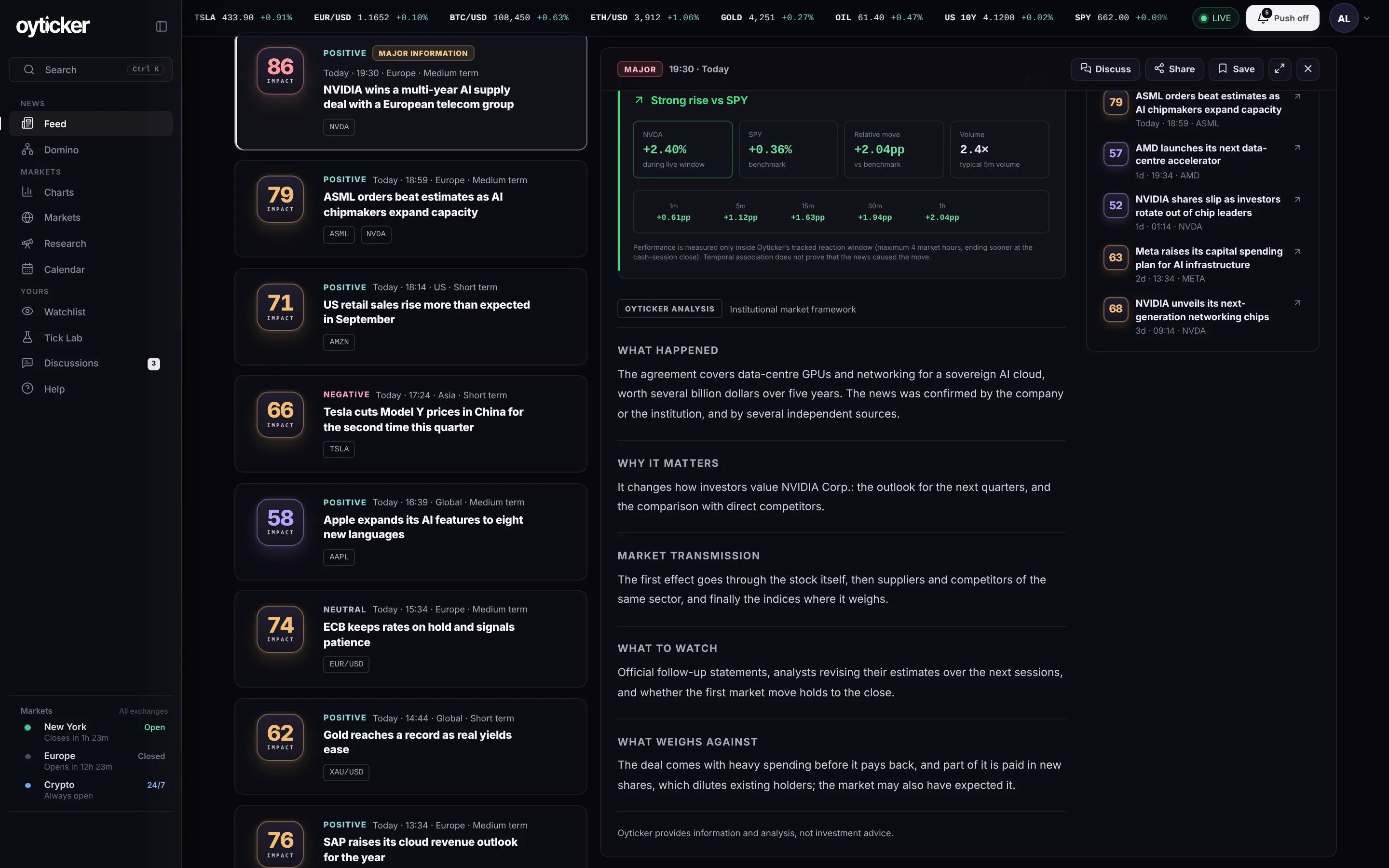
It opens beside the list, so the next one is a click away.
Score, tone, title and a two-line summary.
Impact, confidence in the source, horizon and region.
The move at 1, 5, 15, 30 and 60 minutes, against the benchmark.
Price, chart from one day to five years, and key figures. The ticker opens it in Charts.
What happened, why it matters, how it spreads to other markets, what to watch, and what weighs against.
Start a thread about it, share it, save it, or read it full screen.
- Esc
- Close the story
- CtrlK
- Search markets, stories and tools from anywhere
Saved stories
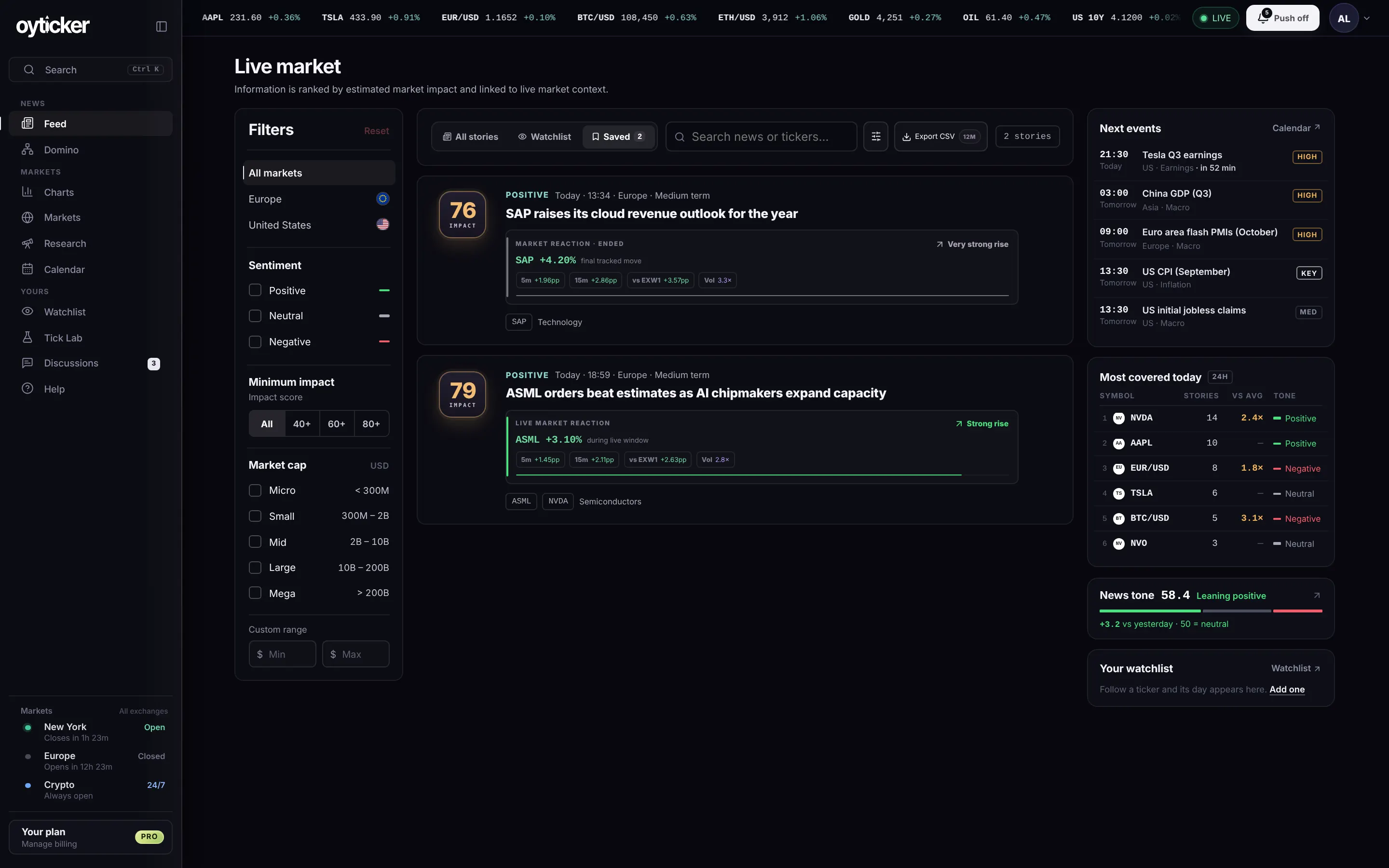
In the bar above the story.
Kept on every device, the latest first. Save again in a story to remove it.
The screens show simulated prices and stories.