Notice

Report a bug to support@oyticker.com to win a free 1 month Plus Subscription

From the Oyticker team
Drawing tools · Shapes and text

Highlighter

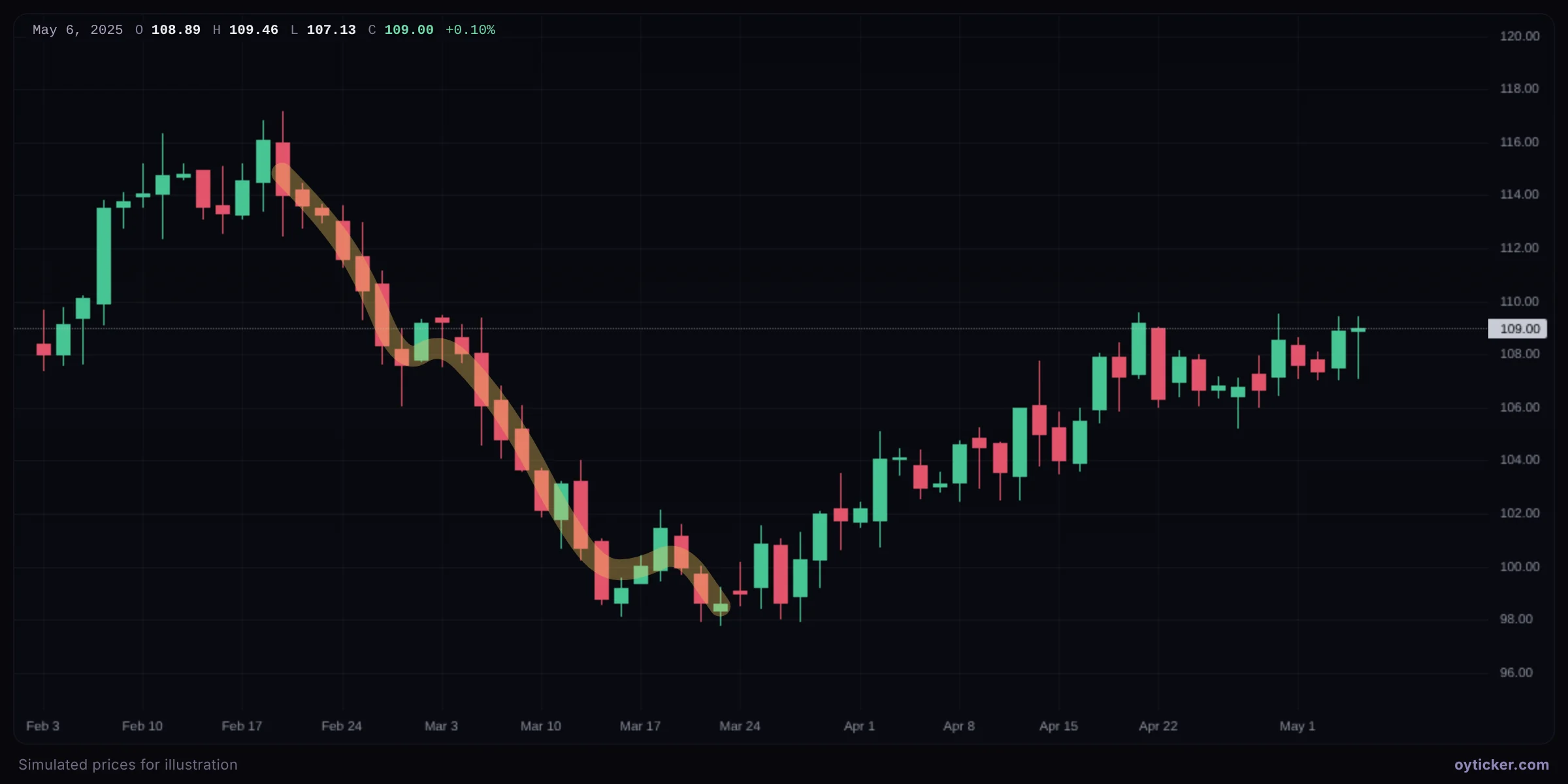
The highlighter draws freehand like the brush, with a wide see-through stroke: what is under it stays readable. It is made to emphasise, the way a marker does on paper, not to draw a level.

What it's for
  • Emphasise a stretch of candles without hiding them.
  • Mark the part of a chart a note or a thread is about.
Points
Freehand stroke
Style
Color, width (three stroke sizes)
Typical use
Emphasis, pointing at a stretch of prices

Emphasising a move

Wide see-through stroke over the candles of a decline, the candles still visible under it
The stroke follows the decline; candles stay visible through it. The stroke is anchored to time and price and stays on those candles when the chart moves.

The brush draws a thin opaque line, for circling or sketching. The highlighter covers; keep its color light so that the candles read through it.

How to draw it

  1. Choose Shapes & text → Highlighter.
  2. Press and drag over the candles to emphasise, then release.
  3. Pick a color and one of the three stroke sizes in the options bar.

Charts in this guide use simulated prices generated for illustration; levels and outcomes shown are examples, not observations of a real market. For information only, not investment advice.